Developer Logs
Live updates from the workbench. See what we are working on right now.
Current Focus: v4.0.0.1
📢 NOTICE — Update 4.0.0.1
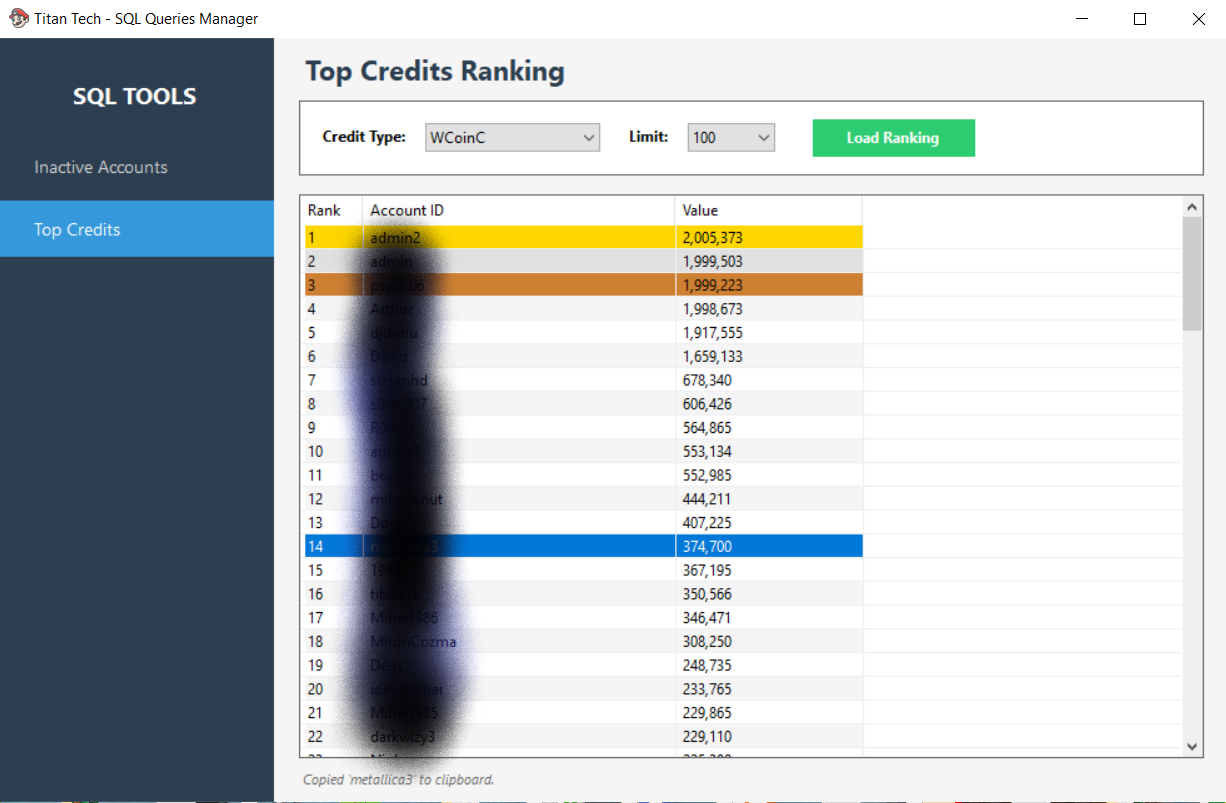
➤ Added Top Credits Ranking:
• WCoinC
• WCoinP
• Goblin Point
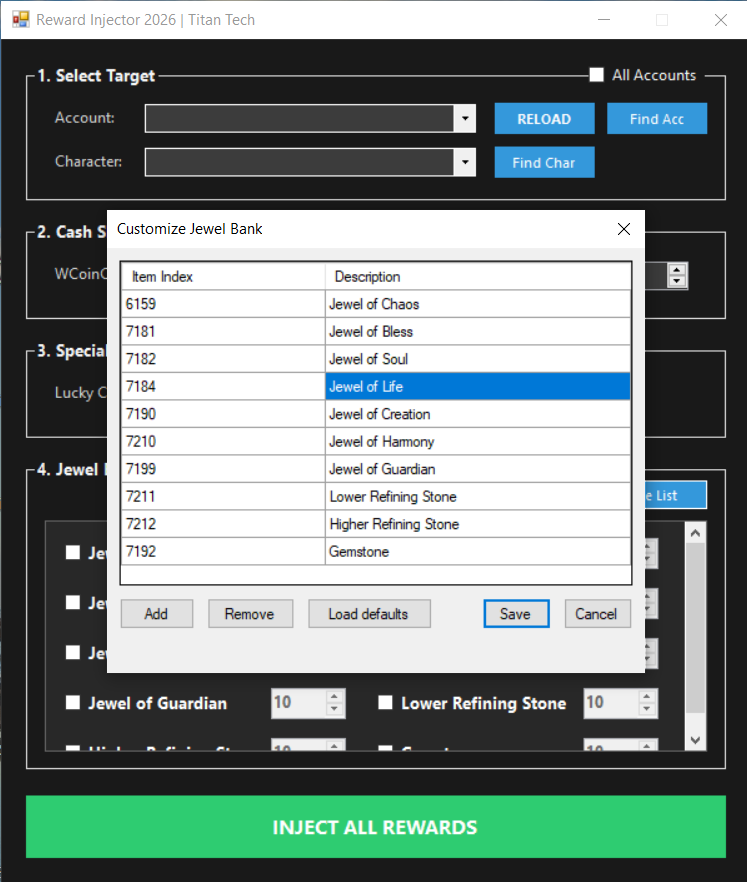
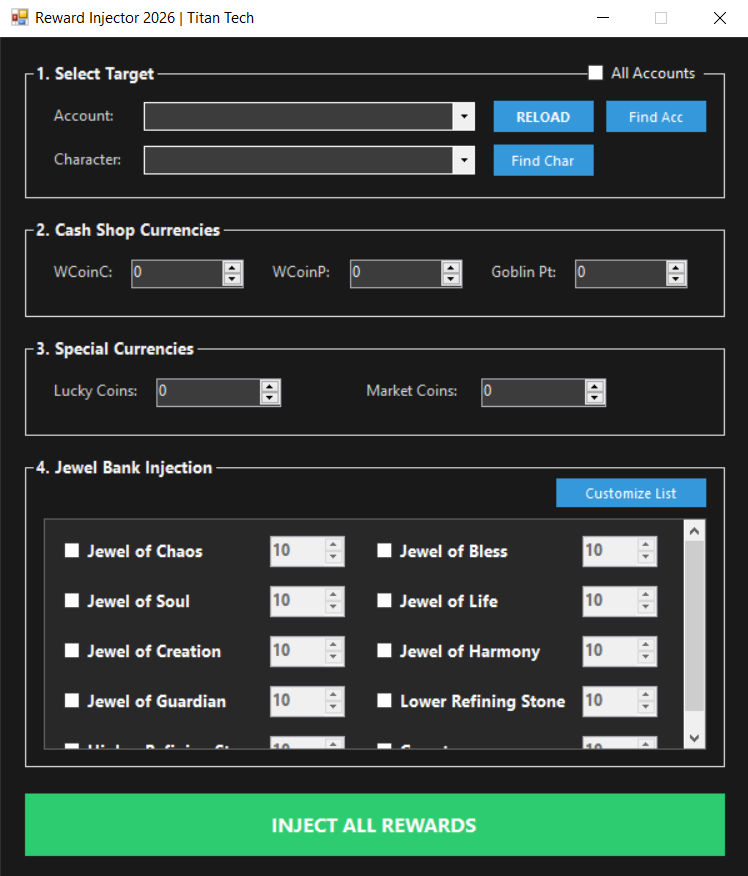
➤ Improved the Reward Panel:
• You can now inject rewards to All Accounts
• Added Custom Rewards (fully configurable reward list)

Update 4.0.0.1
➤ SQL Toolz Panel – Available in Premium Toolz > SQL Queries.
➤ Inactive Accounts Query – Added to the SQL Toolz panel.
- The SQL Toolz Panel provides quick access to useful database queries,
- including the ability to identify inactive accounts directly from the editor.
🛠 Fixes & Improvements
- Fixed errors when deleting Vault 2 or Vault 3.
- Fixed an issue in the Warehouse when setting Ancient Set 1 and 2.
- Fixed the editor window minimizing to the taskbar when opened; it now stays visible.
- Fixed a bug in VIP Manager – VIP levels are now displayed in the correct order:
➤ Bronze
➤ Silver
➤ Gold
Update 4.0.0.1
➤ Search Item by Serial – Extremely useful when a player reports that an item has disappeared.
This feature allows you to track items using their unique serial number.
How it works:
Make sure you have automatic database backups (every 1 hour, 3 hours, or 24 hours).
Restore the needed backup into your database using a different name.
Example:
Main DB: MuOnline
Backup DB: MuOnlineBackup
Open Titan Editor and go to Profiles.
Add the MuOnlineBackup profile.
Find the moment when the player still had the item and copy the item serial.
Switch back to the current database profile.
Use "Search Item by Serial" to scan all accounts.
If the item was moved, traded, or transferred to another account,
you can easily find where the item is and who owns it by its serial number.
Update 4.0.0.1
➤ Make Set Button (Warehouse & Inventory) – Instantly creates a full item set based on all selected options.
[New Tool] Introducing Titan Backup Database v4.0.0.1
Content:
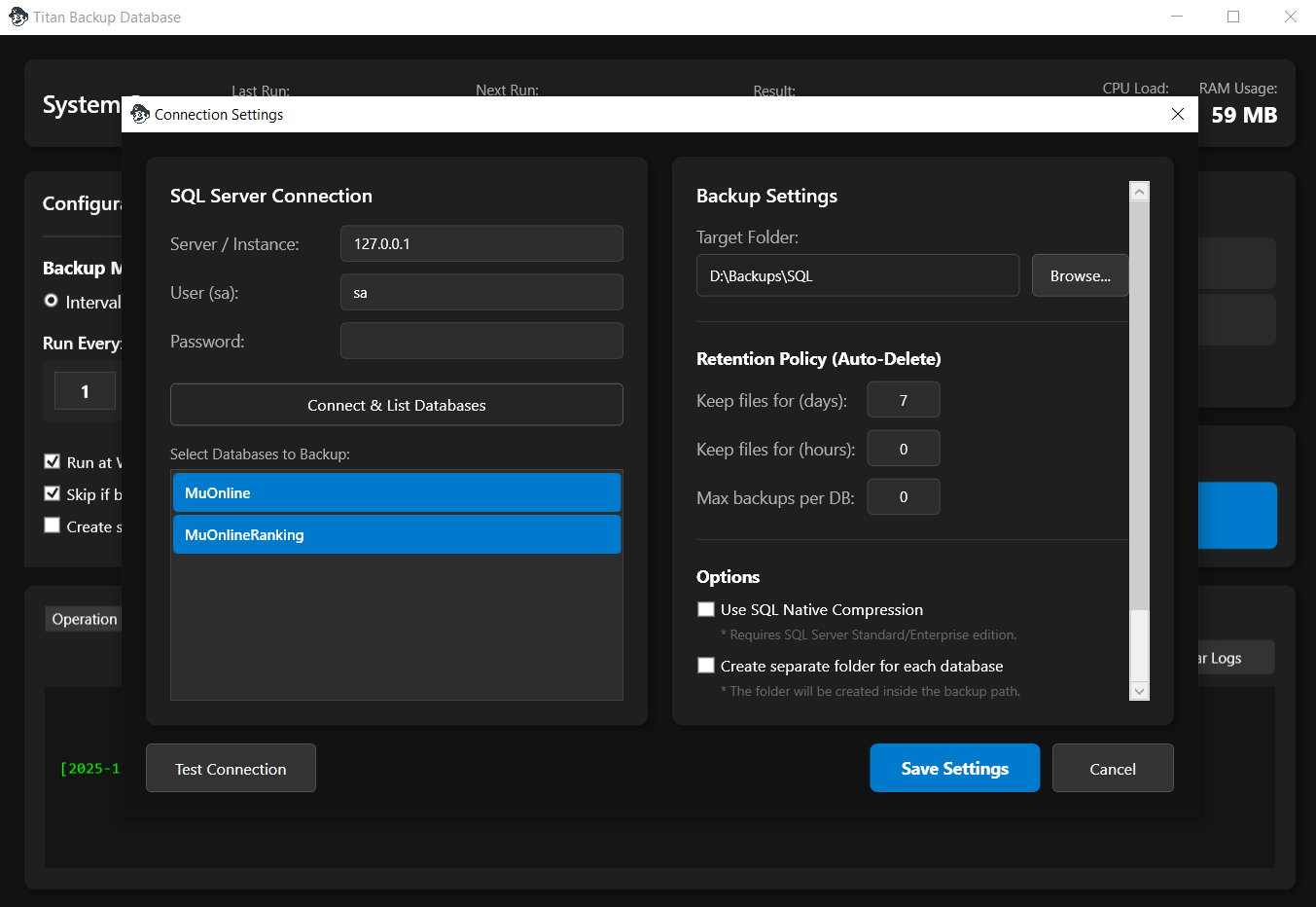
We are excited to announce a major addition to the Titan Editor ecosystem. In version 4.0.0.1, we are introducing a brand new standalone application designed to keep your data safe and your server maintenance effortless: Titan Backup Database.
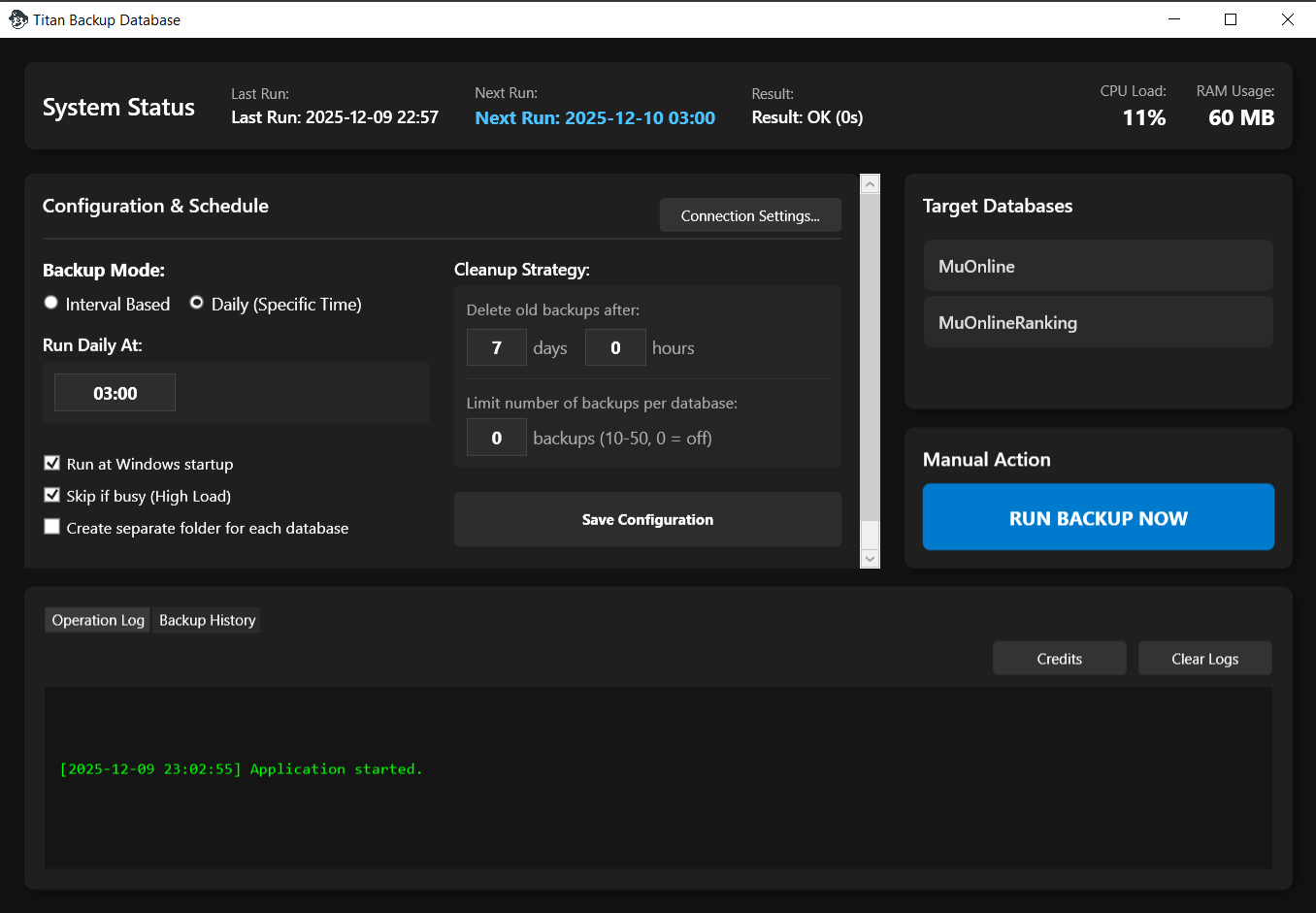
This tool is designed with performance and reliability in mind, offering a modern dashboard to manage your SQL Server backups completely automated.
[Key Features]
➤ Smart Automation & Scheduling
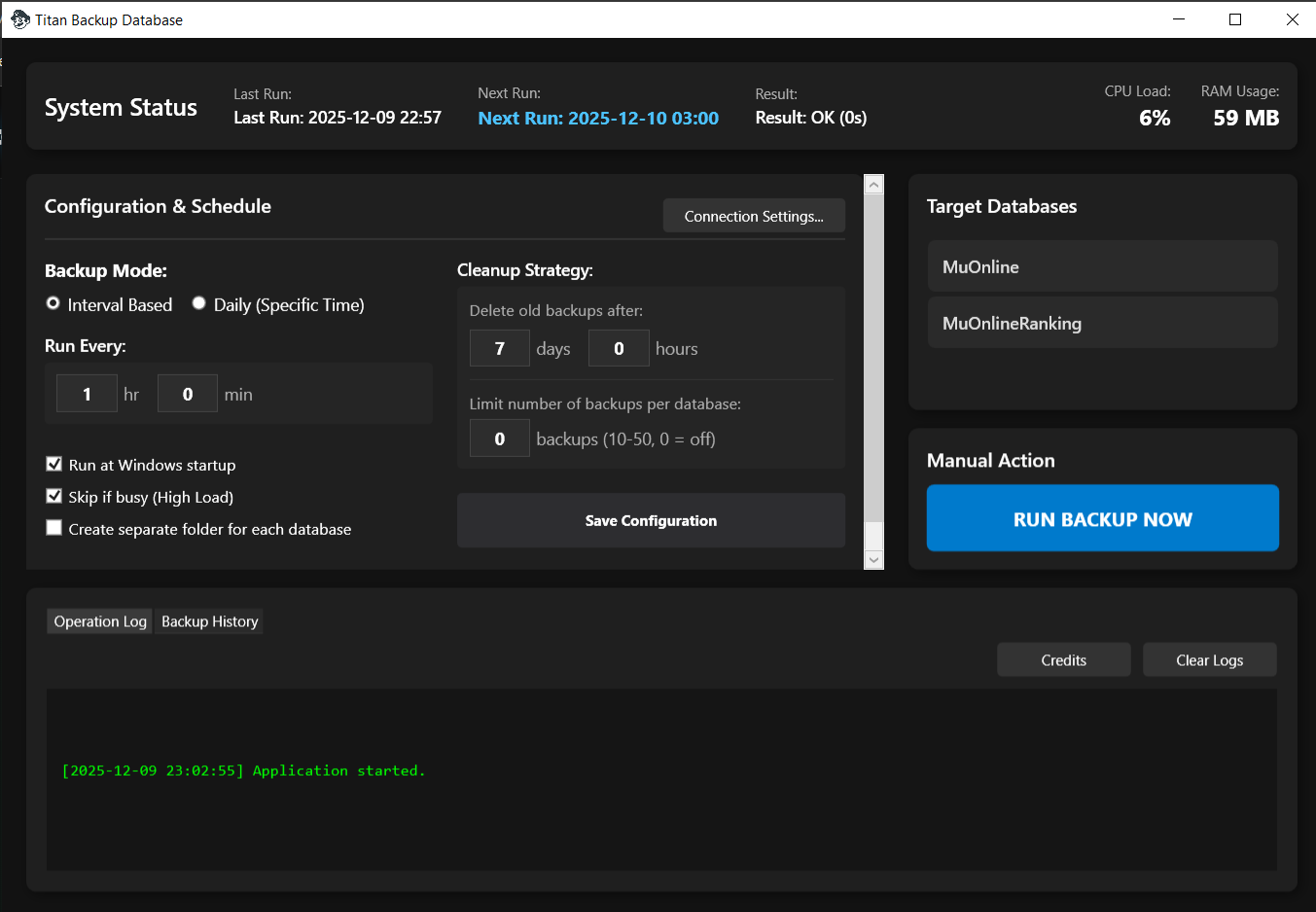
Flexible Schedules: Choose between Interval Based backups (e.g., every 1 hour) or Daily Mode to run backups at a specific time (e.g., 03:00 AM).
Auto-Start: Option to run automatically at Windows startup so you never miss a cycle.
➤ Intelligent Performance Management
High Load Protection: Includes a "Skip if busy" feature. The app monitors system load and will pause backup operations if the CPU/RAM usage is too high, ensuring your server gameplay remains lag-free.
Live Monitoring: The dashboard displays real-time CPU Load, RAM Usage, and the status of the last and next scheduled run.
➤ Advanced Retention Policy
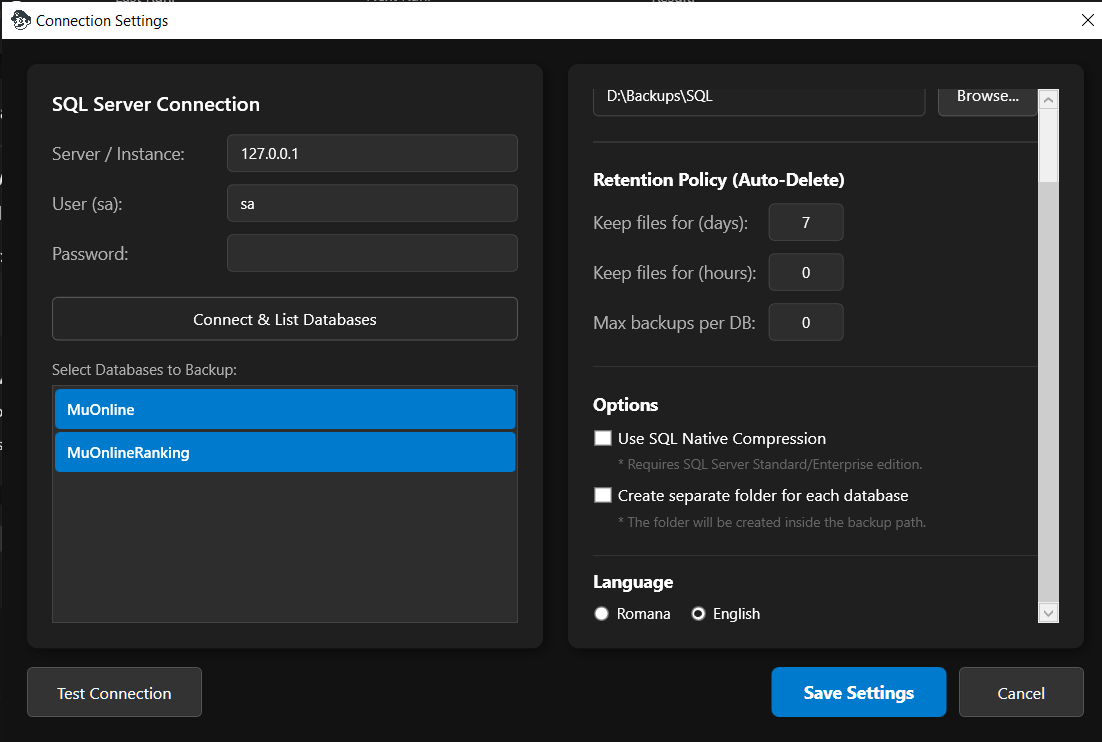
Auto-Cleanup: Forget about full hard drives. You can set a retention policy (e.g., 7 days) to automatically delete old backup files.
Backup Limiting: Set a maximum number of backups per database to maintain storage efficiency.
➤ Connection & Storage
Seamless SQL Connection: Easy setup for local or remote SQL instances (Standard/Enterprise support).
Native Compression: Supports "SQL Native Compression" to significantly reduce backup file sizes.
Organization: Automatically creates separate folders for each database (e.g., MuOnline, MuOnlineS6) for better file organization.
[Version 4.0.0.1]
[Interface]
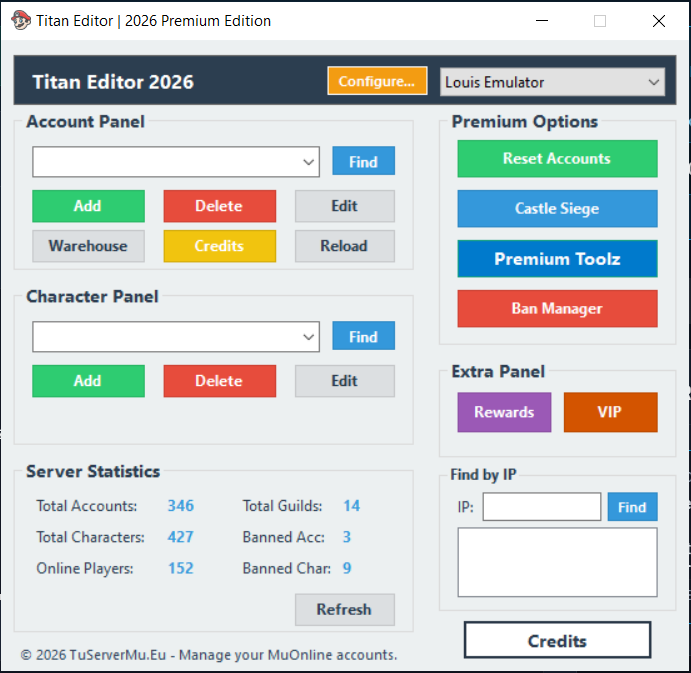
➤ Main Menu Update
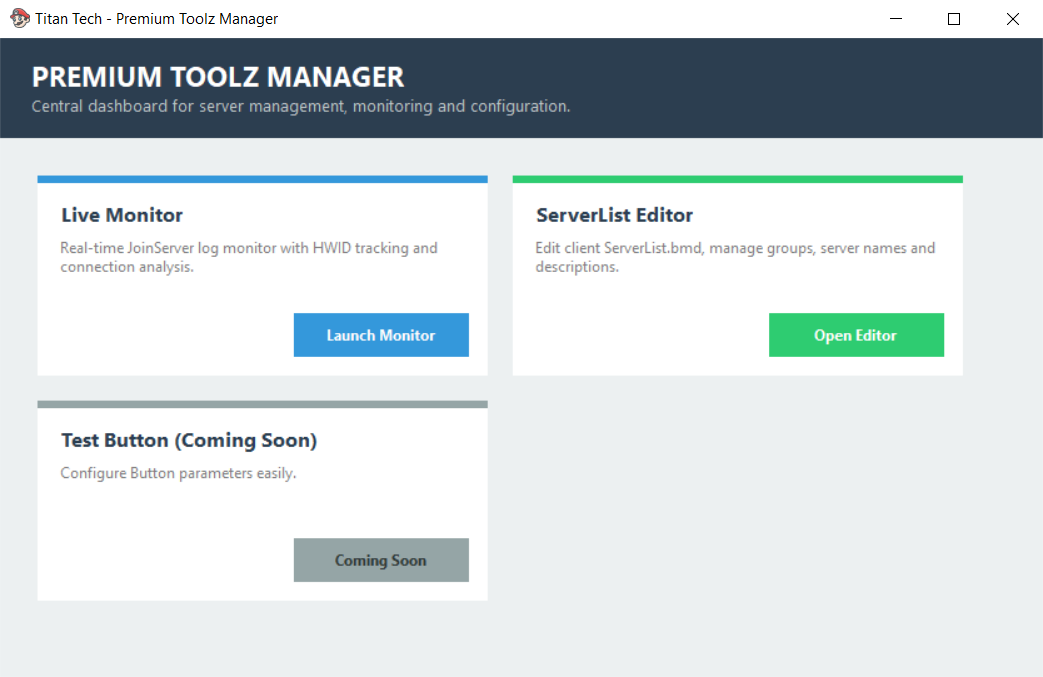
- Swapped the 'Live Monitor' button with 'Premium Toolz'.
- Added the new Premium Toolz Manager window acting as a central dashboard.
[New Features]
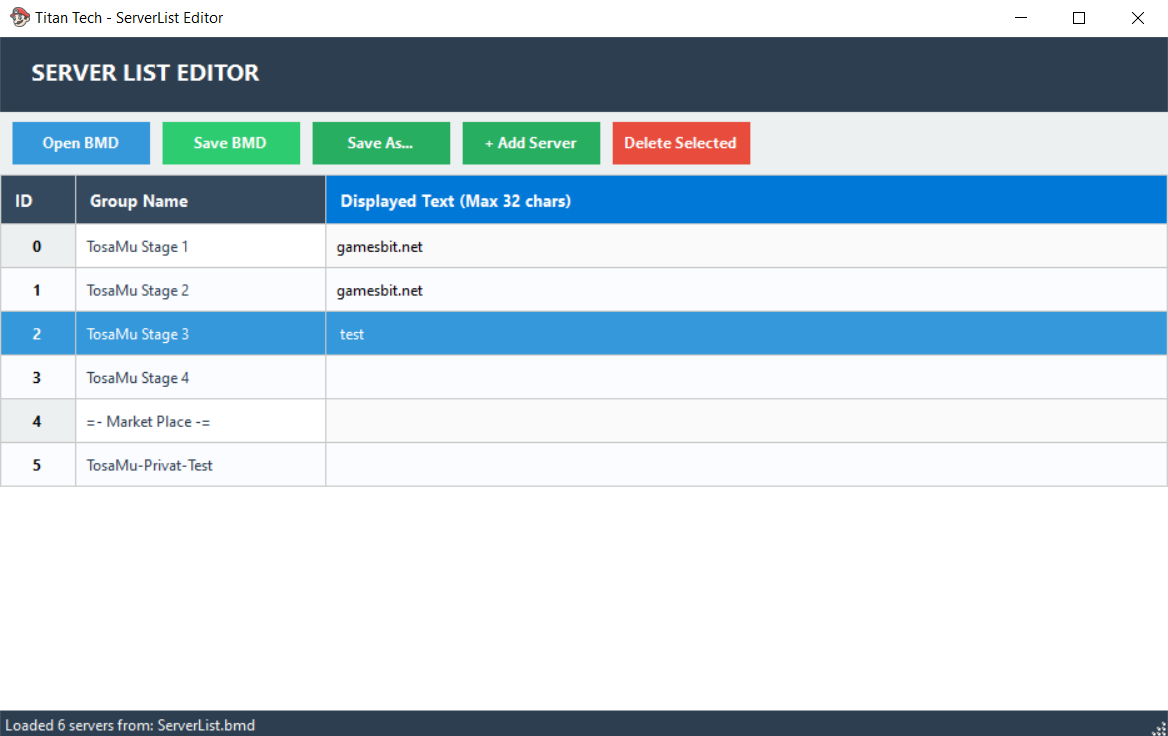
➤ ServerList.bmd Editor
- Added a fully functional editor with a modern UI.
- Now supports editing Server ID, Group Name, and Displayed Text.
➤ Live Monitor Refactor
- Relocated inside the Premium Toolz dashboard for better organization and workflow.